

For companies already live on Oracle NetSuite
NetSuite Optimization Services
Bring IT rolls out the NetSuite modules you already license, automates the workflows that stayed manual, rebuilds the reports nobody trusts, and repairs the integrations that fail quietly. All of it on your live instance, without starting over.


Construction
Conquer project complexity by centralizing everything from budgets and resources to subcontractors and change orders.

Energy
Manage complex clean energy projects, track inventory, and gain real-time financial insights

Healthcare
Optimize and manage patient records, scheduling appointments, billing, and inventory in a single platform.

Manufacturing
Centralize production planning, program management, inventory control, and financial management.

Hotels
Centralize reservations, managing inventory, for better revenue management and improved guest experience.

Restaurants
Optimize reservations, control inventory, and enhance customer experiences.

Franchises
Integrated solutions for real-time insights, royalty management, and scalable growth.

Software & Technology
Manage projects, resources, and billing seamlessly with clear project reporting and better resource utilization.

Real Estate
Simplify property management with integrated solutions that enhance efficiency and drive growth.

Wholesale Distribution
Centralize inventory management, order fulfillment, and financial processes by improving inventory levels, pricing strategies.
Do You Need to Optimize NetSuite?
Optimization is usually triggered by something happening in the business, not by a complaint about the system. We see the same six triggers.
- A legal entity, country or tax jurisdiction is added
- An acquisition or divestiture has changed the subsidiary structure
- A new revenue stream, not scoped in the original build
- Month-end numbers still get rebuilt in a spreadsheet
- Integration errors surface at reconciliation rather than on the day they happen
- Modules paid for at go-live were never configured
Choose the NetSuite Service You Need
Three different problems sit behind the complaint that NetSuite is not doing what it should. Each needs a different engagement, and picking the wrong one costs a quarter.
| Bring IT engagement | Optimization | Remediation | Managed services |
|---|---|---|---|
| The situation | The instance works, but not all of it is in use | The instance was never built the way it was scoped | The instance works and needs someone to own it |
| What we do | Module rollouts, workflow builds, report builds, integration upgrades | Audit what was built, document it, close the distance to the original scope | Stabilization, adoption, automation, continuous optimization |
| How it is bought | Scoped project | Scoped project | Bring IT Care, monthly subscription |
What Bring IT Care Optimizes in NetSuite
Module rollouts. Planning and Budgeting, Advanced Revenue Management, NetSuite Analytics Warehouse, Advanced Manufacturing and WMS. Most were licensed during the original implementation, scoped for phase two, and never switched on because phase two never got a budget.
Workflow automation. We build the routing, escalation and validation behind approvals, journal entries and intercompany steps, so the work stops depending on somebody remembering.
Reporting and dashboards. We rebuild saved searches so the same question returns the same number twice, set up role-based dashboards for the controller and the CFO, and move analytics into NSAW or Domo when the data sits outside NetSuite.
Integration upgrades. Celigo, Boomi and point-to-point connections, rebuilt with retriggering on failure and real-time alerting. A dropped record should surface the day it drops, not three weeks later in a reconciliation.
New entities and jurisdictions. OneWorld configuration for an added subsidiary, a new currency, a new country or a new tax requirement, done before the first close in that entity rather than after it.
How a NetSuite Optimization Runs in Four Steps.
Review.
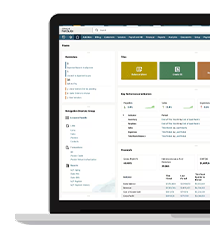
We assess the live instance against how the business runs today and return findings ranked by what they cost, including the items we would not charge to fix.
Scope.
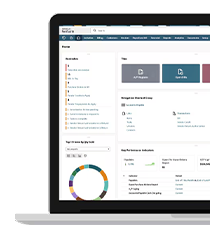
Everything agreed gets documented before anything is configured. We map the business process first. Configuration always comes second on a Bring IT engagement.
Build.
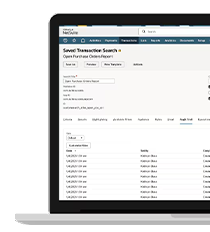
We build in sandbox, test against real transactions, and release on a schedule that stays clear of the close.
Hold or hand back.
Some teams take the build and run it. Others move onto Bring IT Care and keep the same team on continuous optimization.
Why Bring IT

“Bring IT delivered tailored solutions for both our internal operations and franchise support, giving Orangetheory the tools to optimize efficiency and ensure consistency across locations.”
“The power of the NetSuite platform and our partnership with a real platform expert, Bring IT, are two critical factors in the success of our business’s improvements.”
Start with a NetSuite review
We assess the instance at no cost and the findings are yours either way. If the answer is that nothing needs building yet, we will say so.
FAQs
Optimization is the work of improving a live NetSuite instance so it matches how the business runs now: module rollouts, workflow automation, report builds, integration upgrades and configuration for new entities. It assumes the instance already works.
Optimization improves a working instance. Remediation repairs one that was built incorrectly or left unfinished, and starts with an audit of what was delivered against what was scoped. More in optimization and remediation.
Partly. ACS provides advice, account reviews, monitoring and release guidance. Oracle states that a single request it estimates above 40 service hours is not eligible for delivery, which puts most module rollouts and reporting builds outside it.
We start with integrations, because reporting built on unreliable data gets rebuilt twice. Then reporting, then module rollouts, then workflow automation.
Usually one of four things: oversized saved searches, scripts carrying logic that belongs in a scheduled process, real-time integration calls that should be batched, or roles loading portlets nobody reads. The review identifies which before anything is rewritten.
Optimization is scoped and quoted against the review findings, so the estimate follows a documented list. Ongoing work runs as a Bring IT Care subscription instead of a project quote.